

Create All Listings Page
July 20, 2020
In this chapter we will create the landing page that will get all the listings.
Open up the index.js file under the pages directory and add the following:
import React from "react"
import LandingHeader from "../components/navs/LandingHeader"
import { useQuery } from "@apollo/react-hooks"
import { GET_ALL_LISTINGS } from "../graphql/Queries"
import ListingCard from "../components/cards/ListingCard"
import { Link } from "@reach/router"
import { Skeleton } from "antd"

const Index = () => {
  const { loading, data, error } = useQuery(GET_ALL_LISTINGS)

  if (loading) return <Skeleton />
  if (error) return <p className="text-red">{error}</p>

  return (
    <>
      <LandingHeader
        imgURL="https://moon.nasa.gov/system/resources/detail_files/187_detail_as11-44-6551_orig.jpg"
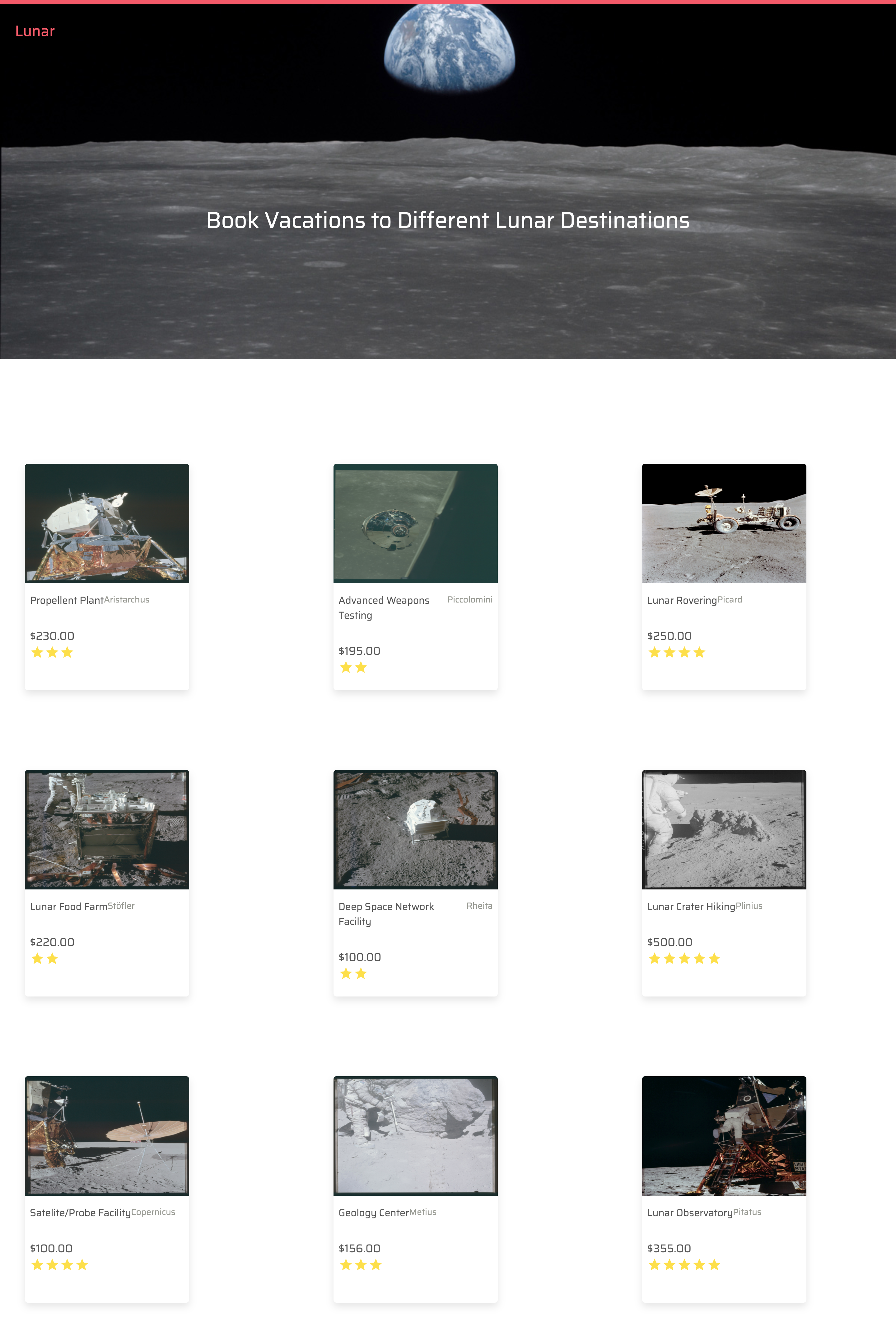
        text="Book Vacations to Different Lunar Destinations"
      />
      <div className="grid grid-cols-3 col-gap-32 p-10">
        {data.getAllListings.map(listing => (
          <div key={listing.listingId} className="mt-32">
            <Link to={`listing/${listing.listingId}`}>
              <ListingCard
                listingTitle={listing.listingName}
                listingLocation={listing.listingLocation}
                price={listing.price}
                rating={listing.rating}
                coverPhoto={listing.coverPhoto}
              />
            </Link>
          </div>
        ))}
      </div>
    </>
  )
}

export default Index
🥑 First off we are using the useQuery hook from the Apollo library to get all the listings.
🥑 Then we have two if statements that will return some HTML for us if loading or error is true. This is nice because we do not have to do any fancy stuff to determine if the API is fetching data for us or if the QUERY failed.
🥑 In our return block, we have the <LandingHeader/>component with an imgURL and text props. While we loop of over the listings and pass through the data of each listing as props to our <ListingCard/> component.
Next up we need to create the schema document for the GET_ALL_LISTINGS query, so head over to the Queries.js file under the graphql directory and add the following:
export const GET_ALL_LISTINGS = gql`
  query GetAllListings {
    getAllListings {
      listingId
      coverPhoto
      listingName
      listingLocation
      rating
      price
    }
  }
`
🥑 We are calling the getAllListings query that will give is the above fields to pass into the listing card. Note we are only telling the API to gives exactly the fields we want.
If all goes well, you should have this:
 Previous
